Scheduling pillar

A calendar that runs your front desk

Visual day and week views for every provider and resource. Book, reschedule and manage walk-ins alongside online bookings without double-booking.

Part of the Scheduling pillar Available now
Pexento · Appointments
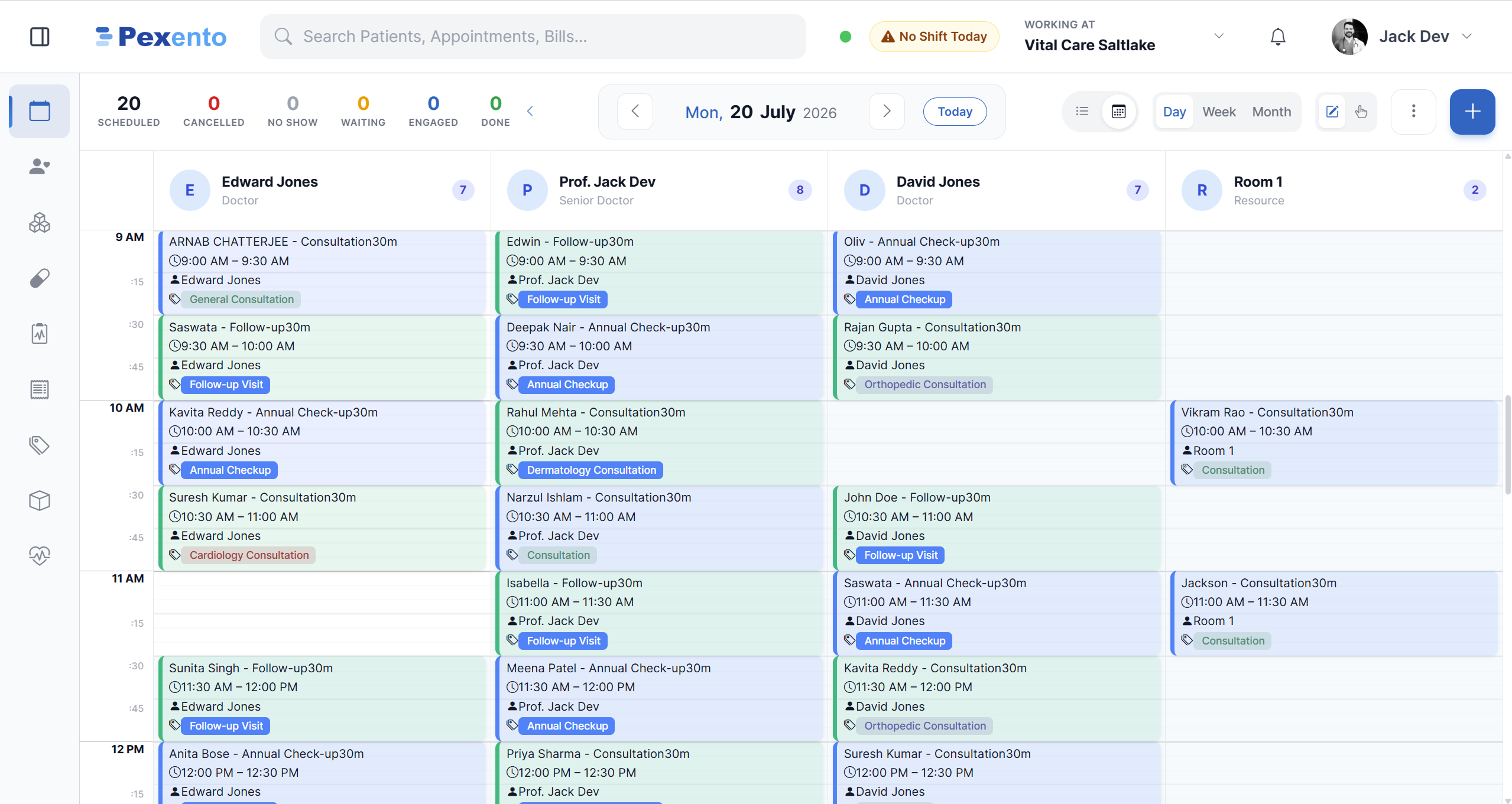
Pexento appointment calendar with a column for each provider and one for a room

Day view at one location: three providers and a room side by side, with the day's status counters across the top.

What Scheduling gives you

The capabilities that make Scheduling useful from day one.

Provider calendars

Day, week and provider views. Drag to reschedule, colour-coded by status and visit type.

Smart slots

Set durations per visit type, block time, buffers and breaks. The grid only offers valid slots.

Walk-ins + online

Handle walk-in queues and online bookings in the same view, with no clashes.

A day on the schedule

What the calendar looks like once the floor gets busy.

Calendar

One column per provider, one per room

Day, week and month views put every provider and every bookable resource next to each other, so reception can read the whole floor without switching screens.

  • Scheduled, cancelled, no show, waiting, engaged and done, counted live
  • Drag an appointment to move it, click it to open the details
  • Rooms and equipment book the same way providers do
Pexento · Appointments · Day
Day calendar showing appointments grouped under each provider and a room column
The provider's day

Each provider sees only their own list

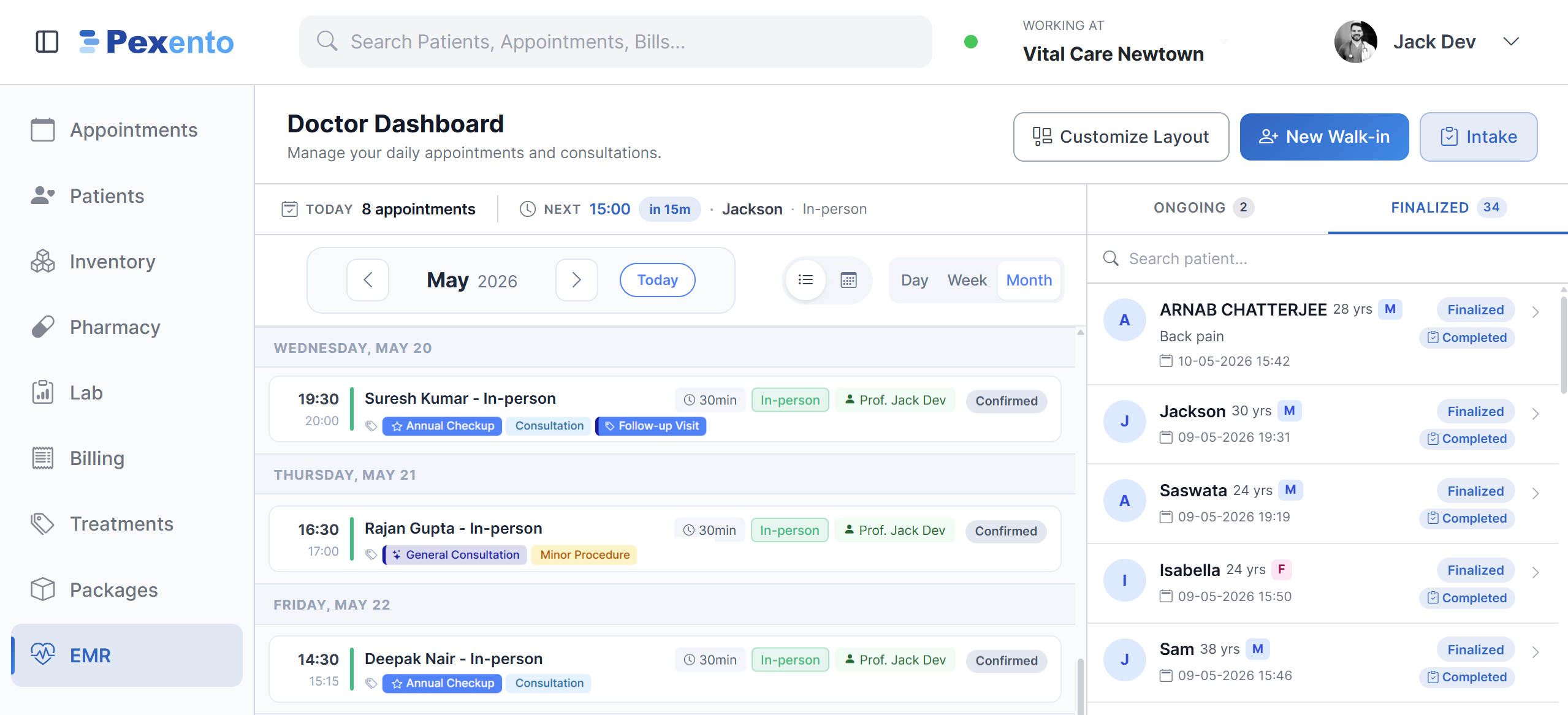
A provider opens their dashboard to their appointments, what is next and how many minutes until it starts, with consultations still open on one side and finalised ones on the other.

  • Next appointment and countdown pinned to the top
  • Ongoing and finalised encounters in a side panel
  • Walk-ins and digital intake start from the same screen
Pexento · Provider dashboard
Provider dashboard listing the day's appointments beside ongoing and finalised encounters
Availability

A slot only exists if someone is on duty

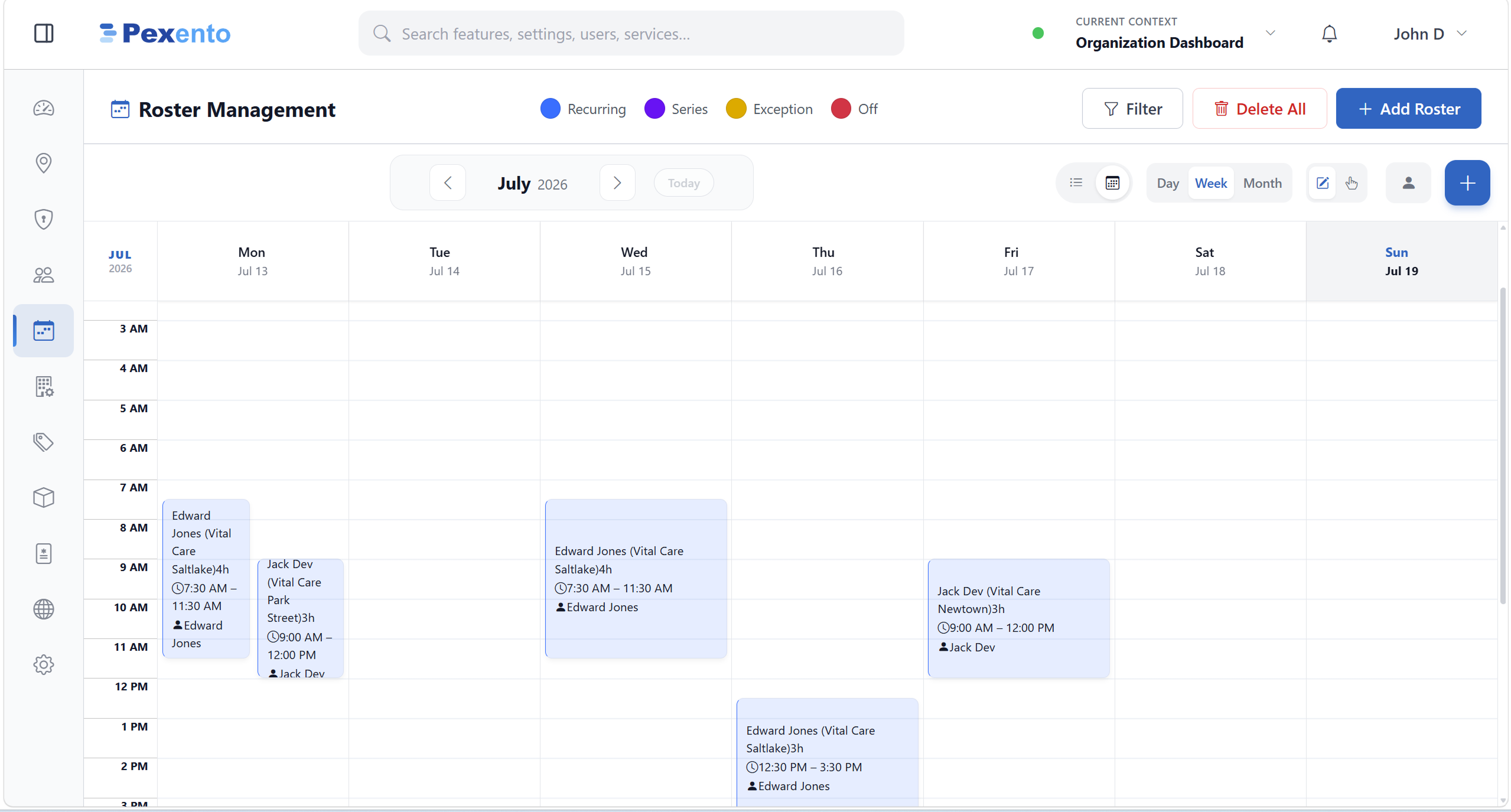
Shifts built in the roster feed the booking calendar, so the front desk cannot hand out a slot at a location where nobody is rostered.

  • Recurring shifts, series, one-off exceptions and days off
  • Planned per person, per location
  • Week and month planning views
Pexento · Roster Management
Weekly roster calendar with shifts placed per staff member and location

Scheduling that bends to your workflow

From a single chair to a multi-room clinic, the calendar handles providers, rooms and equipment together.

  • Resource bookingReserve rooms, chairs and machines alongside staff so nothing is over-allocated.
  • Recurring & seriesSet up repeat visits and multi-session plans in a few clicks.
  • RemindersAutomated booking confirmations and reminders with the WhatsApp/SMS add-ons.
  • Flows into billingTurn a completed booking into an encounter or a bill instantly.
  • No-show trackingMark no-shows and cancellations and keep the slot free.

Ready to put Scheduling to work?

Start a 30-day free trial or talk to us about the right plan for your business.

No credit card required 30-day free trial Works offline, syncs when you're back online Hosted on Microsoft Azure