Scheduling pillar

Know who's working, where, and when

Build staff rosters and shift patterns per location, set availability, and let the calendar respect who is actually on duty.

Part of the Scheduling pillar Available now
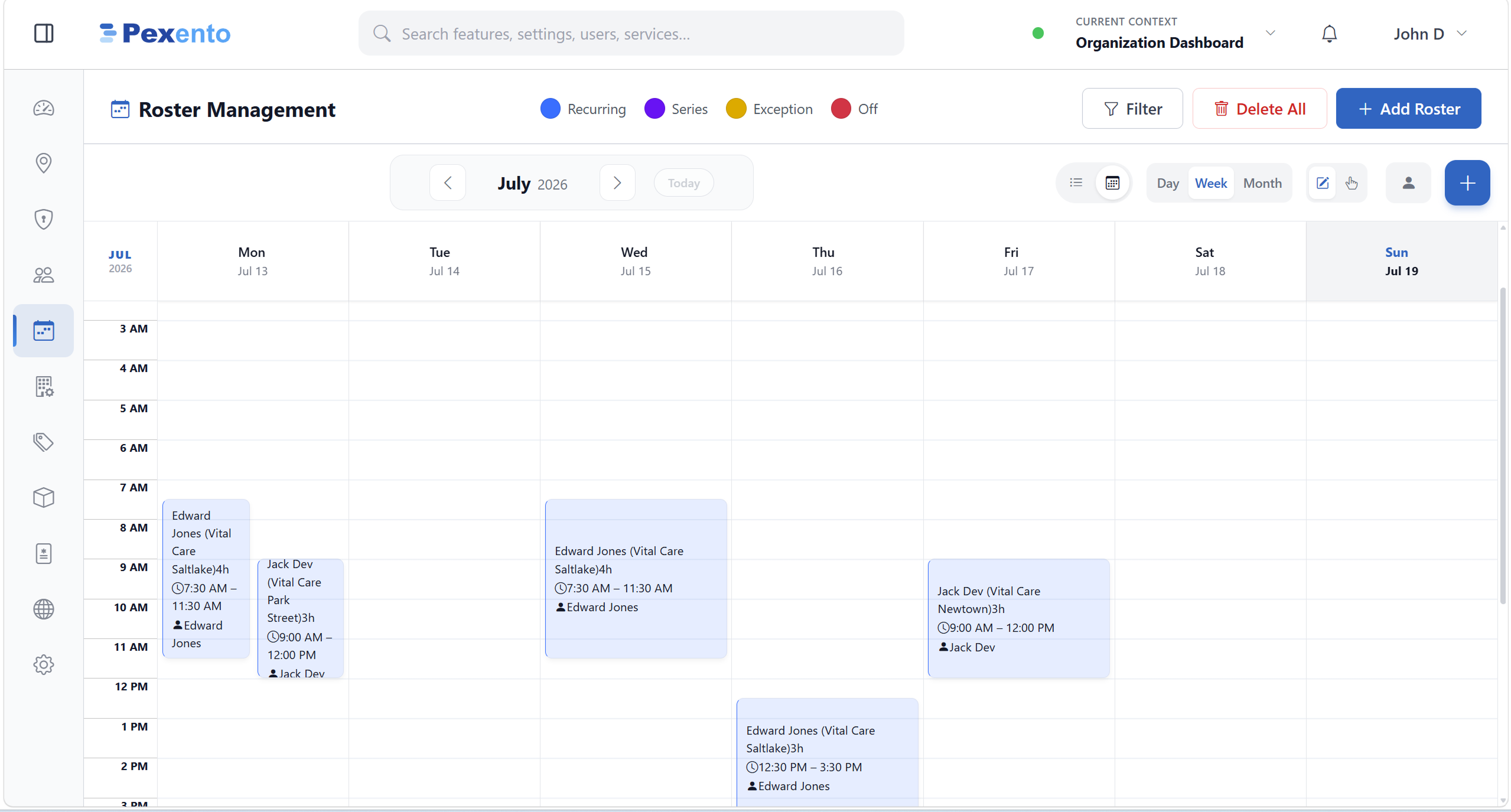
Pexento · Roster Management
Weekly roster showing shifts for each staff member across locations

A week of shifts, color coded by recurring, series, exception and off, with the location written on every block.

What Staff Roster & Shifts gives you

The capabilities that make Staff Roster & Shifts useful from day one.

Shift planning

Assign shifts and working hours per staff member, per location, per day.

Availability rules

Set who can be booked when, including leaves and exceptions.

Per-location rosters

Each branch keeps its own roster while you see the whole org.

Rosters the rest of the app obeys

The roster is not a spreadsheet on the side. It decides what the calendar can sell.

Booking

Shifts decide which slots exist

Publish a roster and the booking calendar changes with it. Slots appear where someone is on duty and disappear where they are not, online and at the front desk alike.

  • Availability follows the roster, not a fixed weekly template
  • Exceptions and days off close the slots for that day only
  • Online booking sees exactly what reception sees
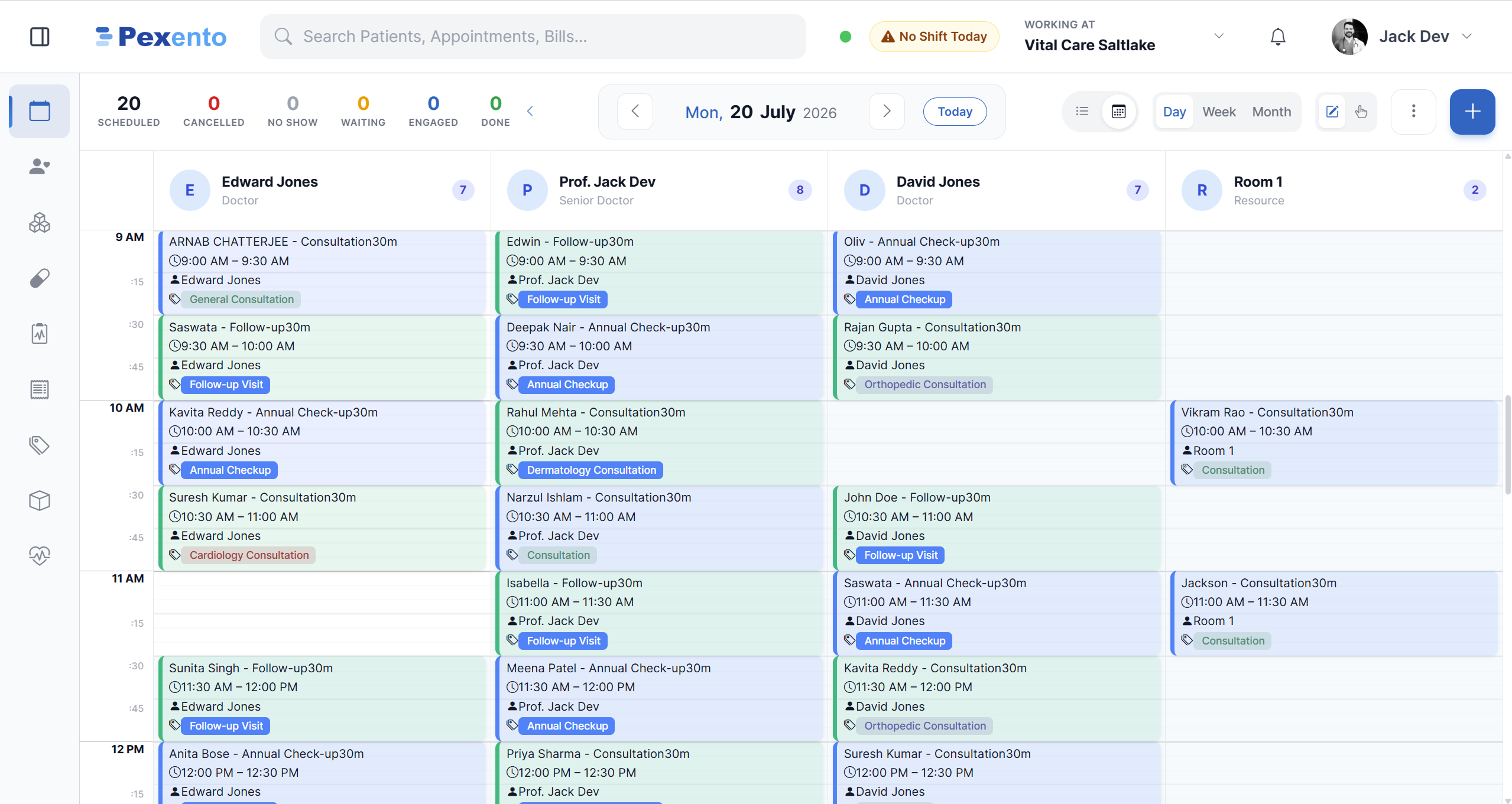
Pexento · Appointments
Appointment calendar with a column for each provider on duty
Locations

Every branch keeps its own hours

A shift is planned against the branch it belongs to, and each branch carries its own timings and holidays. So the same person can work a morning at one site and an afternoon at another without the two calendars colliding.

  • Timings and holidays configured per branch
  • Every shift carries the location it belongs to
  • Managers plan across locations from one screen
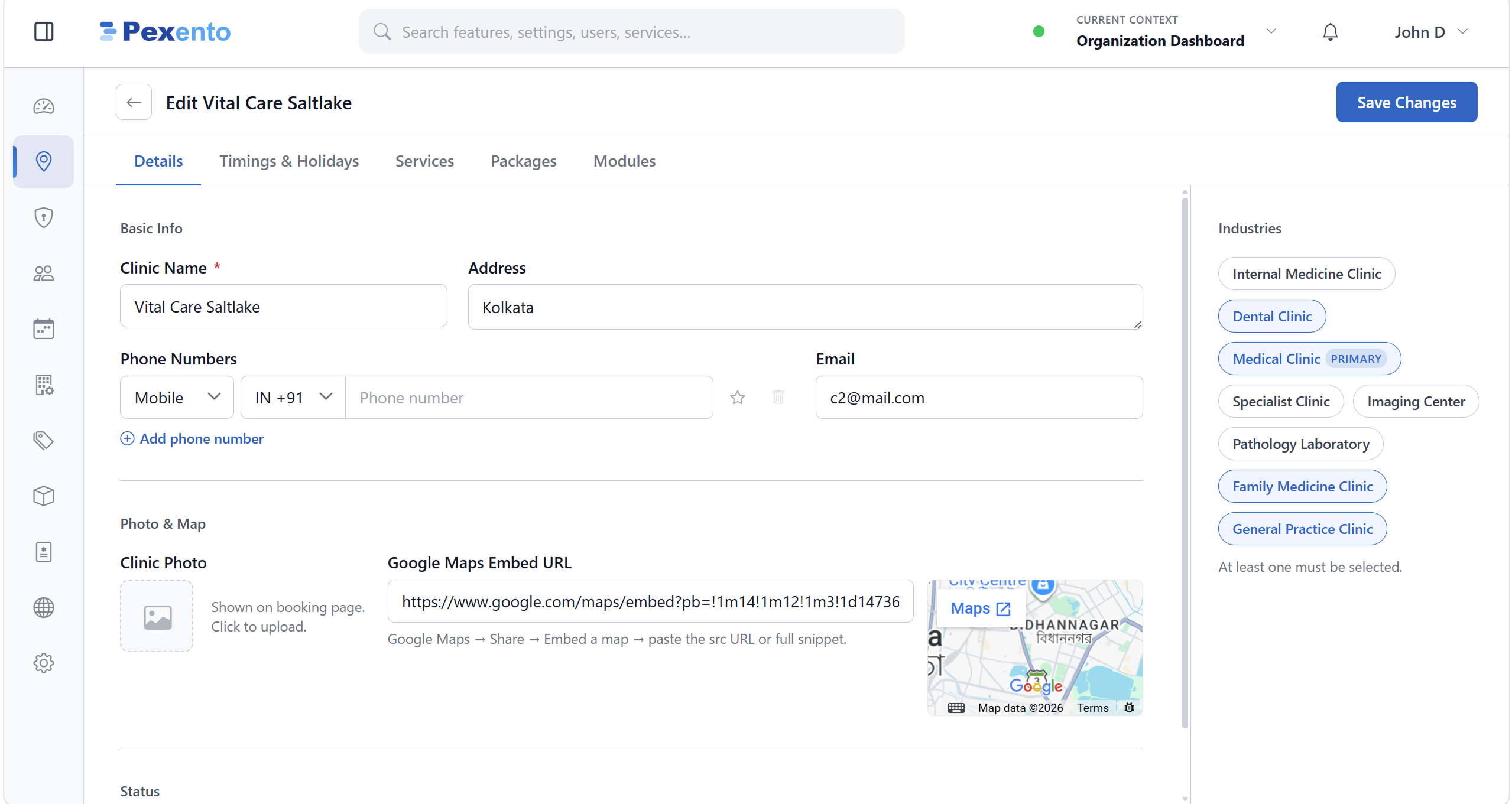
Pexento · Location setup
Location editor with a timings and holidays tab, set per branch

Rosters the calendar actually obeys

Availability set here drives the booking grid, so the front desk never offers a slot for someone who isn't in.

  • Leaves & exceptionsOne-off days off and overrides without breaking the pattern.
  • Team viewSee the whole team's coverage at a glance and spot gaps.
  • Linked to schedulingRoster availability flows straight into provider calendars.
  • Shift patternsReusable weekly patterns so you set it once.

Ready to put Staff Roster & Shifts to work?

Start a 30-day free trial or talk to us about the right plan for your business.

No credit card required 30-day free trial Works offline, syncs when you're back online Hosted on Microsoft Azure